30 November, 2012 - Killian Bell
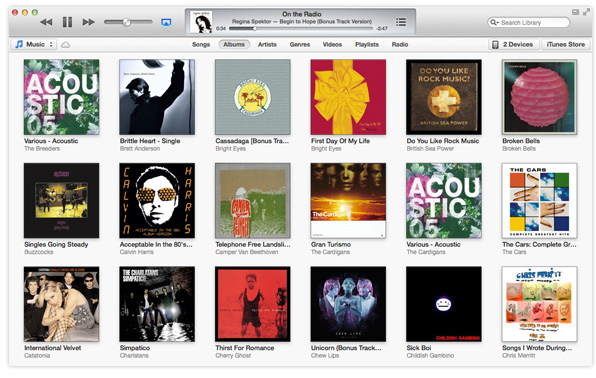
Apple finally released iTunes 11 on Thursday, and it comes with a number of improvements – the biggest of which is a fancy new look. I’m a big fan of it; I was beginning to feel the application was getting a little stale. But for those who aren’t, here’s how to get your trusty sidebar back.
10 September, 2012 - Paul Dixon
Courtesy of OS X Daily, here’s a fantastic OS X Mountain Lion tip which shows you how you can access a collection of over 40 hidden wallpapers, including some stunning high resolution aerial photographs, by following a few simple steps.
18 August, 2012 - Paul Dixon
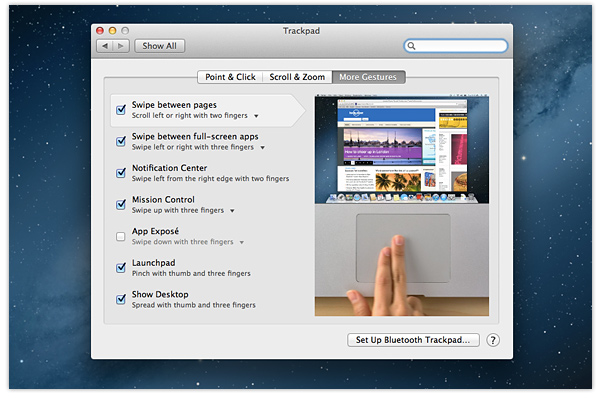
Launched last month, OS X Mountain Lion includes a number of new trackpad shortcuts and gestures that make using your Mac quicker and easier than ever. In case you missed them, here’s an overview of five of our favourites.
27 July, 2012 - Killian Bell
Safari 6 is a huge improvement over its predecessor, boasting a number of new features like the Smart Search field, offline Reading List, the Password Pane, and more. But it also takes away one handy feature, and that’s the RSS button. Here’s how to get it back.
26 July, 2012 - Paul Dixon
Introduced with OS X Mountain Lion, AirPlay Mirroring is a fantastic new feature that allows you to send whatever is on your Mac’s screen to a HDTV via an Apple TV. Unfortunately though, as many users are discovering, it only works on late-2011 (or newer) iMacs, Mac minis, or MacBook Airs, and early-2011 (or newer) MacBook Pros.
28 April, 2012 - Paul Dixon
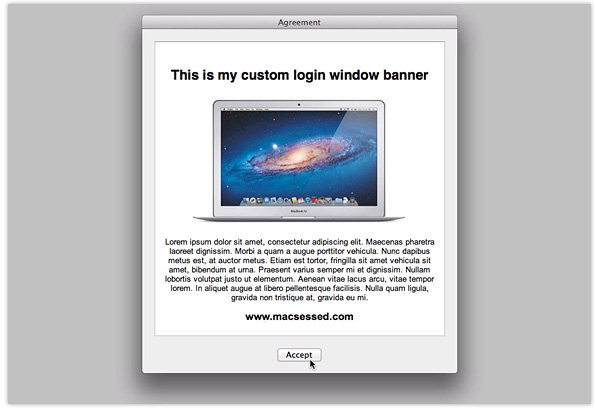
In a previous tip we explained how you can display messages at the bottom of the login screen in OS X Lion. While it’s a handy feature, the resulting messages are quite easy to miss. Thankfully though, another little-known feature allows you to display a login window banner, which users have to acknowledge before proceeding.
10 April, 2012 - Paul Dixon
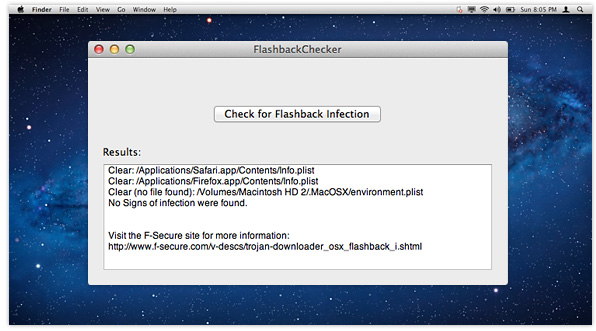
There’s a good chance you’ve heard about the Flashback trojan – malware that’s reported to have infected over 600,000 Macs. Anti-virus firm F-Secure provided Terminal commands to check systems for infection, but understandably, some users may have been wary of running them. Thankfully, there’s now a much easier way to check for the trojan.
2 February, 2012 - Killian Bell
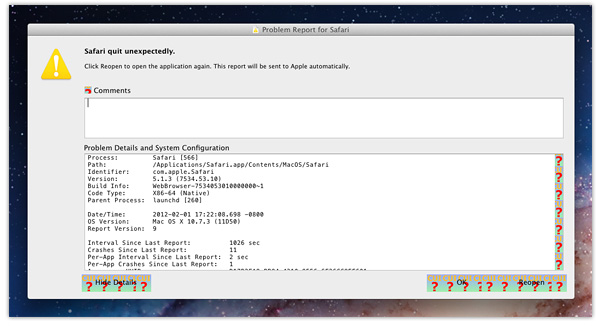
Despite months of beta testing and almost 10 pre-release builds, Apple’s latest update for OS X Lion has a number of issues. After installing the new 10.7.3 release, which went live in Software Update yesterday, many users are finding the buttons at the bottom of their windows are replaced by graphics that read “CUI.”
28 January, 2012 - Paul Dixon
Next time you want to share a link via email, don’t bother going through the rigmarole of launching Mail, creating a new message, entering a subject, and copying & pasting the URL of the page you want to send. Use one of these quick and simple methods instead.
← Older posts